Master your track in your browser
Upload a mix, pick a sound and get a louder, balanced master as a 24-bit WAV. Compare it with the original, fine tune it and open it in the DAW.
- WAV 24-bit stereo
- A/B with the original
- 2 free masters a month
Pick the sound
Presets with a loudness target, or the sound of a reference track.
- Streaming
- Balanced
- Loud
- Radio
- Classical
- Podcast
Clean targets from −18 to −9 LUFS, with a −1 dBTP true-peak ceiling.
- Rock
- Electronic
- Hip-Hop
Tuned for the energy of each style, around −10 LUFS.
- Your reference track
Your master takes on the sound of a track you choose. Pro plan and above.
How it works
Upload your mix
WAV, AIFF, FLAC, OGG or MP3. Other formats, like M4A, go through the built-in converter first and the master starts again on its own.
Choose a preset
Pick a sound and start. In our recent jobs a master was ready in about 35 seconds, and almost always within a minute.
Listen and fine tune
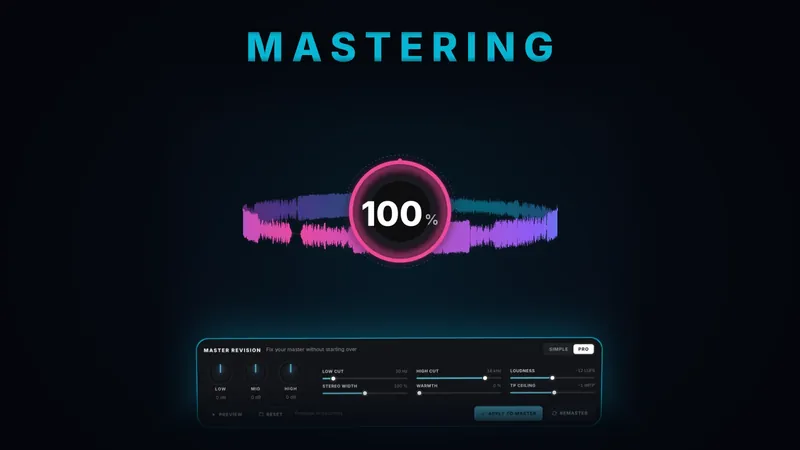
Switch between original and master, then adjust lows, mids and highs, loudness, width and warmth with Master Revision before you download.
What you get
24-bit WAV master
A stereo 24-bit WAV at the sample rate of your file, ready to release or to keep working on.
A/B/C listening
Compare the original, the master and your revision on the same player, with loudness before and after.
Master Revision
Simple mode with lows, mids and highs; Pro mode adds low and high cut, loudness, stereo width, warmth and true-peak ceiling. Previews are free.
Straight into the DAW
Open the master in the YTMusicStudio DAW with one click, or start again from a new preset.
Questions
Is it free?
You can start free, no credit card needed: the free plan includes 2 masters a month. Starter, from €9.99 a month, has no monthly limit.
Which files can I upload?
WAV, AIFF, FLAC, OGG and MP3. If you upload something else, like M4A, the built-in converter turns it into a WAV and the master continues.
How long does it take?
In our recent jobs the middle value was about 35 seconds, and 9 out of 10 masters were ready within a minute.
What is reference mastering?
You upload a second track whose sound you like, and the master follows its tone and loudness. It is included from the Pro plan.
Can I change the master after it is done?
Yes. Master Revision lets you adjust tone, loudness, width and warmth, preview 20 seconds for free and keep each version.
Do I pay if a master fails?
No: if something goes wrong, nothing is taken from your account.
Hear your mix mastered
Create a free account, no credit card needed. Nothing to install.