Your studio, in a browser tab
Record, cut and arrange audio tracks, mix them with compressors, EQ and reverb, and export a WAV mix or every track as a stem. Your session saves itself.
- In the free plan
- Autosave in the cloud
- Works on tablets
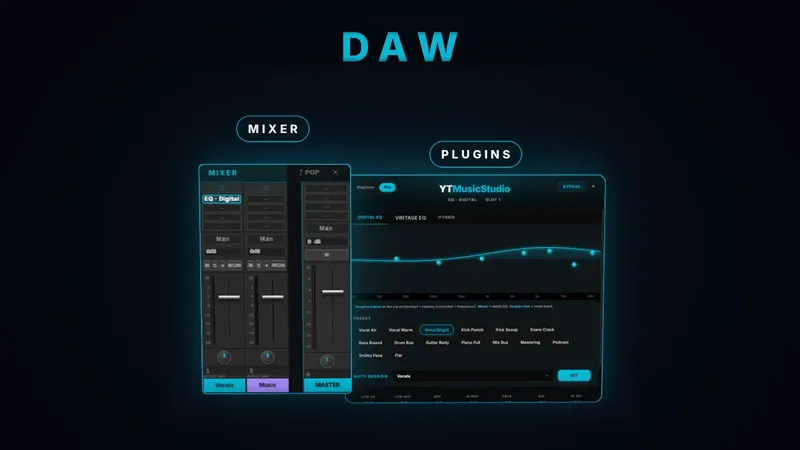
Everything you need to finish a song
Audio tracks, a real mixer and effects on every channel.
- Split
- Trim
- Fades
- Gain
- Copy & paste
Cut regions at the playhead, trim the edges, add fades up to 2 s and region gain up to 200 %.
- Faders
- Pan
- Mute
- Solo
- 4 inserts
Three compressors, three EQs, three reverbs, a limiter, pitch shift and time stretch, on tracks and on the master.
- Metronome
- BPM 20–300
- Grid
- Loop
Change a region’s pitch by up to 12 semitones or fit it to a new tempo.
How it works
Bring in your audio
Import WAV, MP3, FLAC, AIFF or OGG, record from your microphone, or open stems, masters and songs from the other tools with one click.
Arrange and mix
Cut and move regions, set levels and pan, add effects, use the metronome and the grid, undo up to 50 steps.
Export
Download the whole mix as a WAV, or every track as a separate WAV in one ZIP. Each export is also kept in your session.
What you get
Connected to every tool
Stems from Split, masters, generated songs, podcasts, voices and converted files all open here as tracks.
Record in the browser
Arm a track and record from your microphone, with input monitoring on the channel.
Chords, lyrics and video
See chords with guitar diagrams, follow lyrics karaoke style and line up your audio with a video.
Saved for you
Every change is saved automatically to your account, and the previous version can be restored.
Questions
Is it free?
Yes. The DAW is part of the free plan: create an account, no credit card needed, and open it.
Do I need to install anything?
No. It runs in a recent desktop browser and on tablets; recording needs microphone access.
What can I export?
A WAV of the full mix, or every track as its own WAV in a ZIP file.
Does it support MIDI or automation?
Not yet. The DAW works with audio tracks: recording, editing, mixing and effects.
Will I lose my work if I close the tab?
No. Sessions save automatically a few seconds after each change and when you close the page.
Open your first session
Create a free account, no credit card needed. Nothing to install.